The Freelance Studio Planner.
One workbook for every client, project, deliverable, hour and invoice, with a dashboard that shows you exactly where you stand the moment you open it.
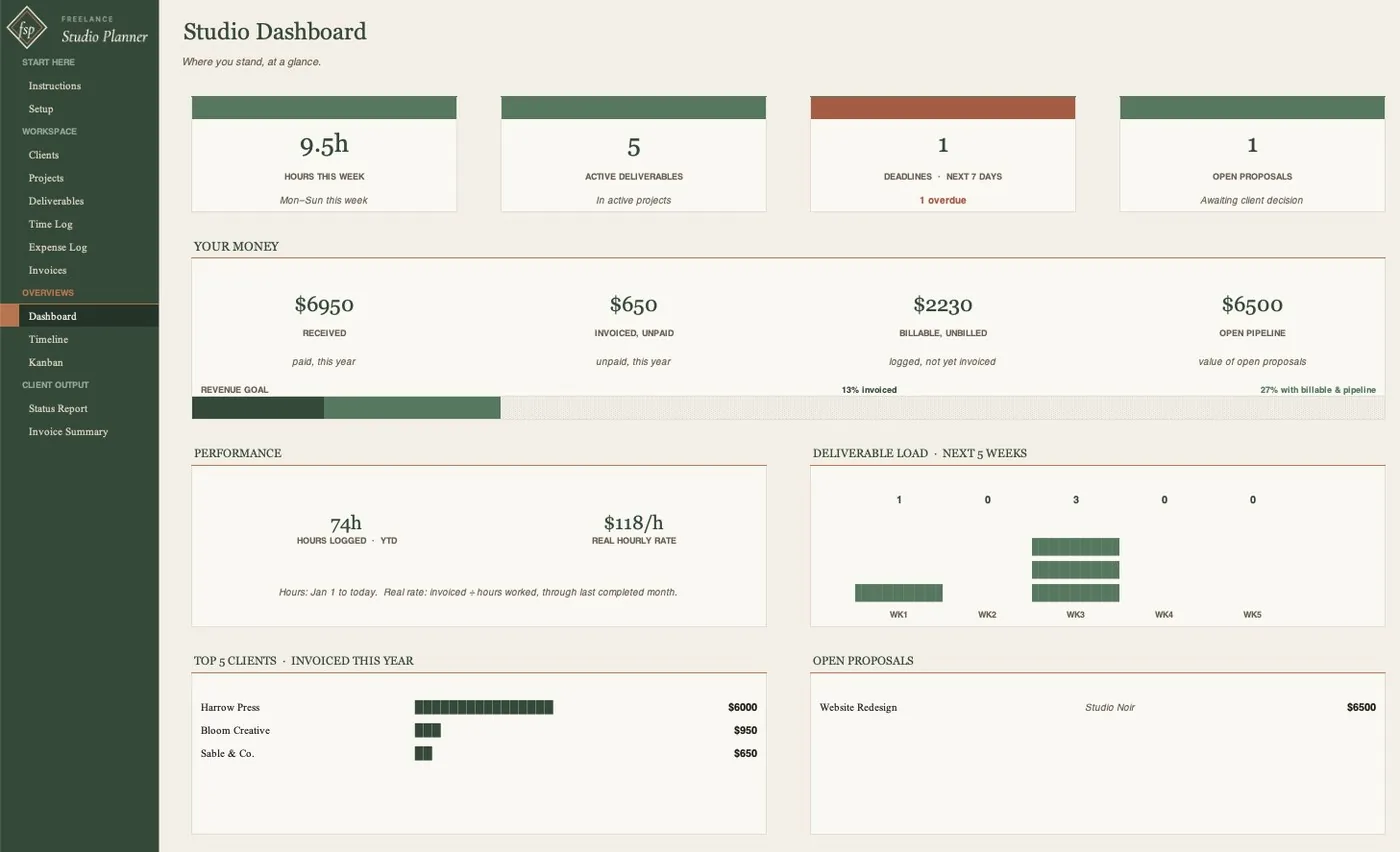
One workbook. Thirteen connected tabs.
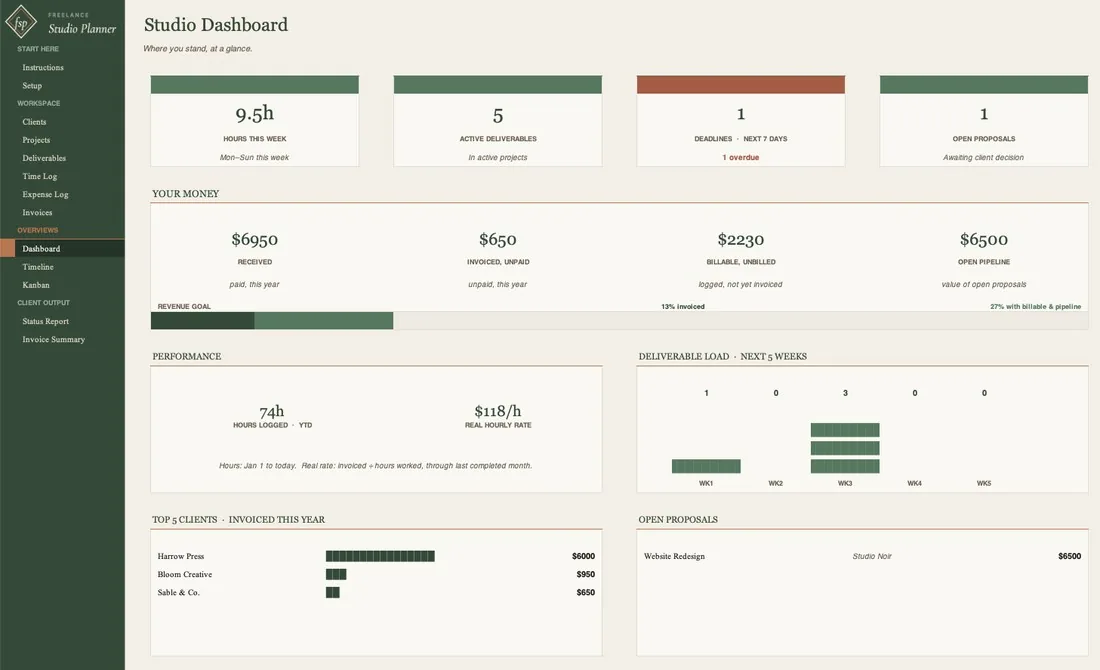
Hours this week, deadlines in the next seven days, money received and owed, billable work not yet invoiced, and your real hourly rate - updates itself.
Your whole book of business in one place, organized the way freelancers actually think: by client.
Four pricing models built in: flat fee, hourly, per deliverable, and retainer.
Revision rounds tracked as a real workflow step, because creative work is deliver, review, revise, deliver again.
Feed your invoices automatically, so billable work never slips through.
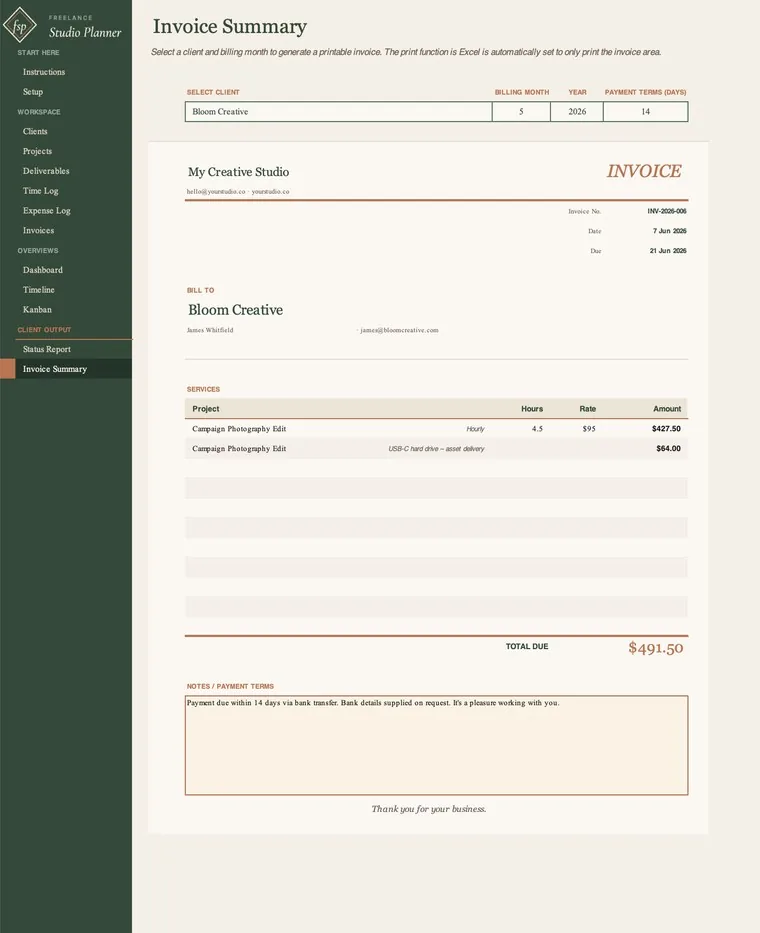
Pick a client and a date range and it builds a print-ready invoice from the work you already logged.
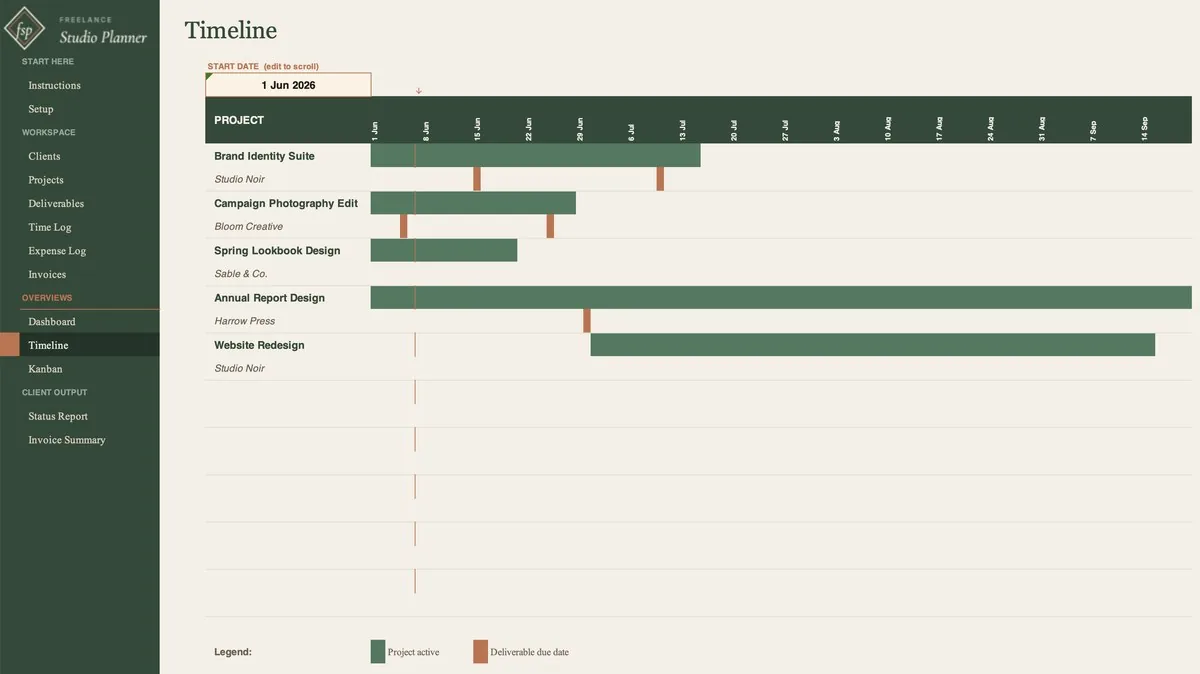
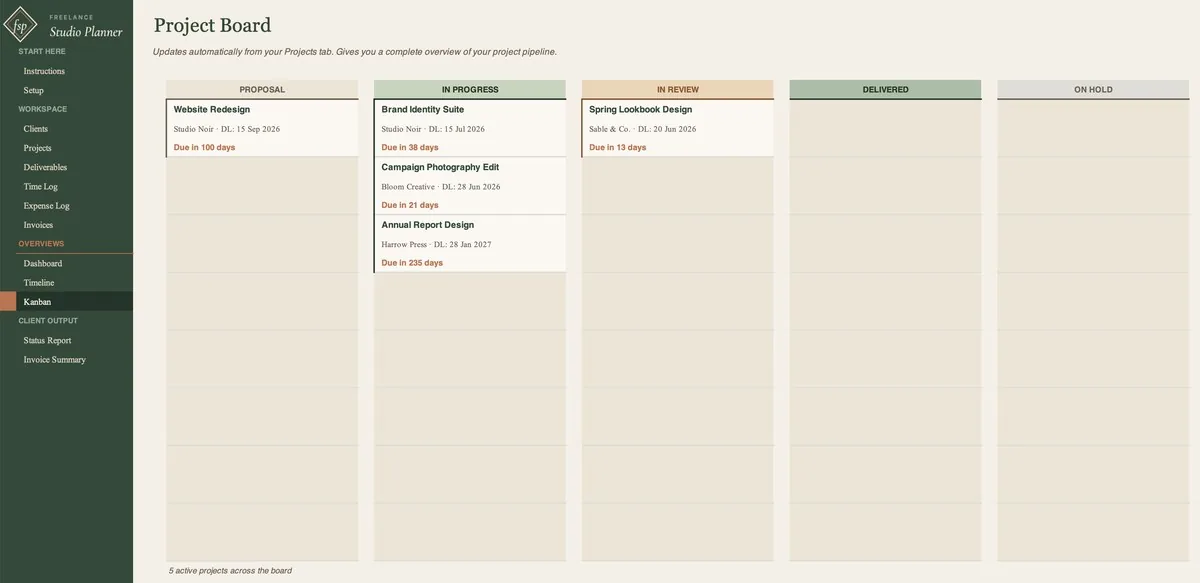
An auto-generating timeline and a formula-driven project board, both built from your project list with no manual drawing.
A client-ready summary of any project, generated in seconds.
See it before you buy it.
Built for client-based creative work.
Creative freelancers and solo studios juggling three to fifteen active projects: designers, photographers, writers, video editors, illustrators, social media managers, and anyone doing project-based client work.
If you've tried Notion or Trello and found them either too heavy or too bare, this sits in the middle: structured enough to run a business, simple enough to use the same day you buy it.
Six steps. About two minutes.
- 01Enter your studio details on the Setup tab.
- 02Add your clients.
- 03Add your projects and pick a pricing model.
- 04Break projects into deliverables.
- 05Log your time and expenses.
- 06Generate and log an invoice.
Sample data is pre-filled throughout so you can see how every tab connects before you touch anything. Rows marked [SAMPLE] are yours to delete when you're ready.
Frequently asked.
Does this work on a Mac?
Yes. It works in Excel on both Mac and Windows, and in Google Sheets, so there is no second-class platform. If you prefer Sheets, you get a direct link with your purchase - just open it and save your own copy to Drive.
Do I need to be good at spreadsheets?
No. You type into the cells that are meant for typing, and the formulas do the rest. The Instructions tab and the pre-filled sample data show you exactly how it all connects before you start.
Will it calculate my invoices automatically?
Your logged time and expenses feed the Invoice Summary tab automatically. Pick a client and a date range, and it builds a print-ready invoice.
Can I set it up for my own studio?
Yes. The Setup tab is where you enter your studio name, default rate, and revenue goal, plus your own dropdown lists. Your clients, projects, and statuses are all yours to define.
How many clients and projects does it hold?
Up to 50 clients and 50 projects, sized for a single calendar year. When January comes, open a fresh copy for the new year.
Is this a subscription?
No. You buy the file once and it is yours. There is nothing to renew.
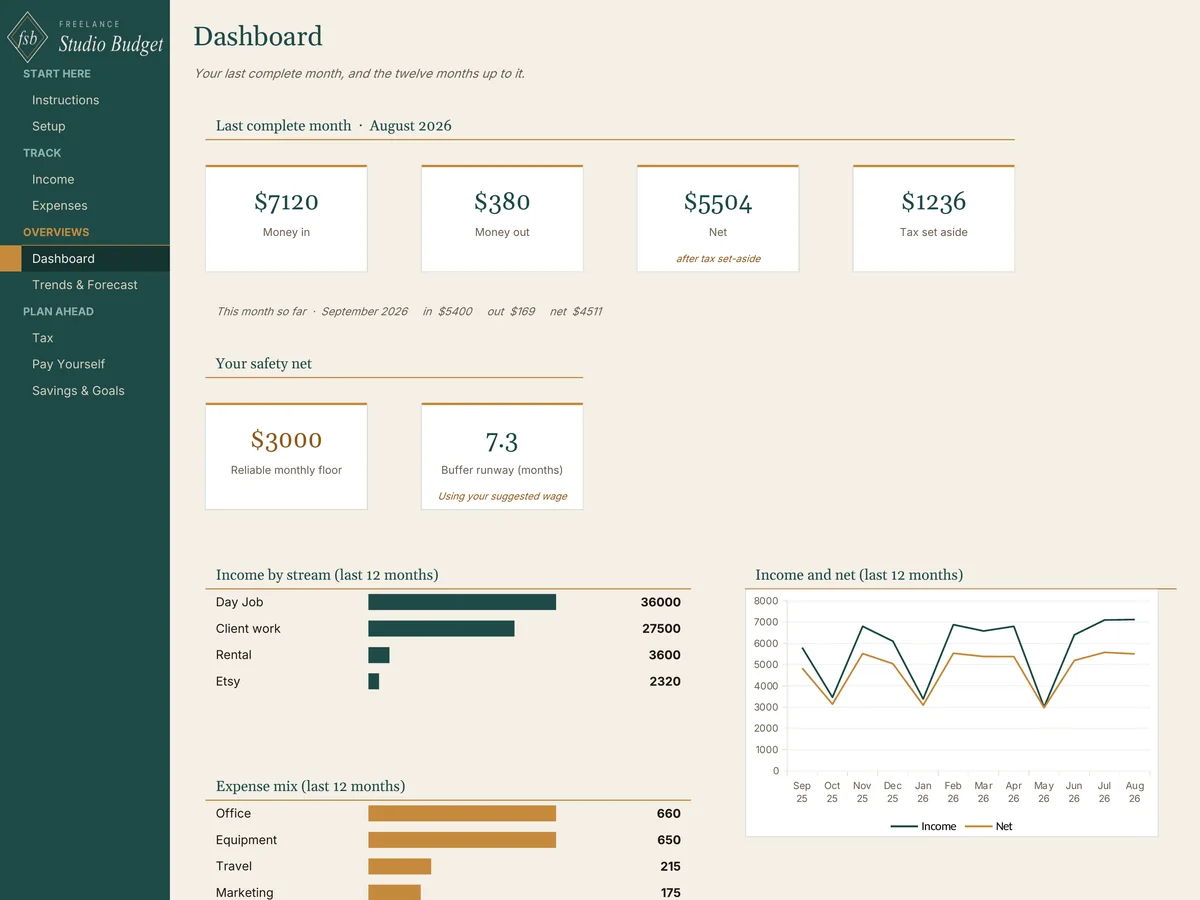
The Planner runs the work. The Budget runs the money.
The Freelance Studio Budget handles the money side the Planner leaves out: income by stream, a tax set-aside on self-employed income, your reliable monthly floor, and a steady wage from lumpy months. Copy each paid invoice in as income. $19.
See the Budget →Run your studio from it the same day.
One .xlsx file, 13 tabs. Works in Microsoft Excel (Mac and Windows) and Google Sheets. Sized for one calendar year, up to 50 clients and 50 projects. Instant download, lifetime access, no subscription.